
Easily manage your account online
- Quickly access your account balance and bills
- See what concessions you may be eligible for
- Make regular bill payments with Direct Debit
- Update your details
- Request more time to pay
- Notify us if your business is moving
It only takes a couple of minutes to register!
All you need is your business account number and either the email address or mobile number you have on file with us.
Play the video to see how easy it is to register and get started.
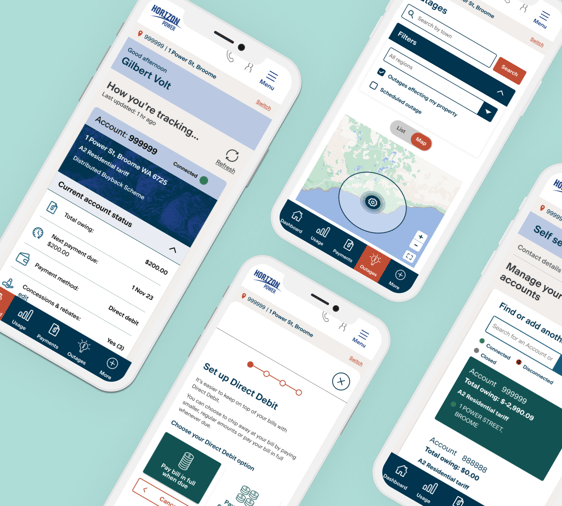
24/7 online gateway to effortless account management
- View your billing history
- Download your billing history or payment receipts
- Stay informed about outages
- Easily pay one or multiple accounts
- Opt in to payment reminders or set a spend goal to keep on top of business energy costs
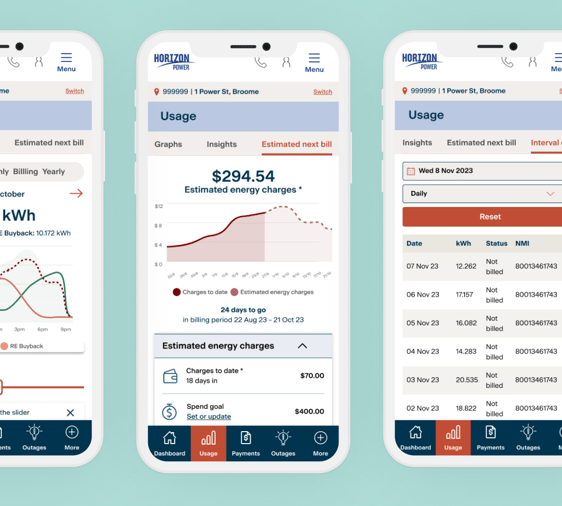
Keep track of how energy impacts your bottom line
- Monitor your energy consumption
- Get an estimate of the size of your next bill
- Download your energy consumption data in 30 minute intervals
- See the impact of energy efficient changes you're making
- Find out if solar is a good fit for your business.
MyAccount app now available to download
Access MyAccount from your favourite web browser on any device or download the app to your tablet or mobile so it's easier to access. It only takes a couple of minutes to get started and register - just have your account number handy.
Yes. You can now easily access MyAccount from your favourite mobile or tablet device. Download it now from the Google Play or App Store.
Visit login.horizonpower.com.au/register-for-myaccount and:
- Enter your account number (you'll find this printed on your electricity bill in the top right-hand corner) and the email address or primary mobile number that you have linked to your account.
- Set a secure password.
- Confirm it’s you by entering the one-time code we’ll send to your email or mobile.
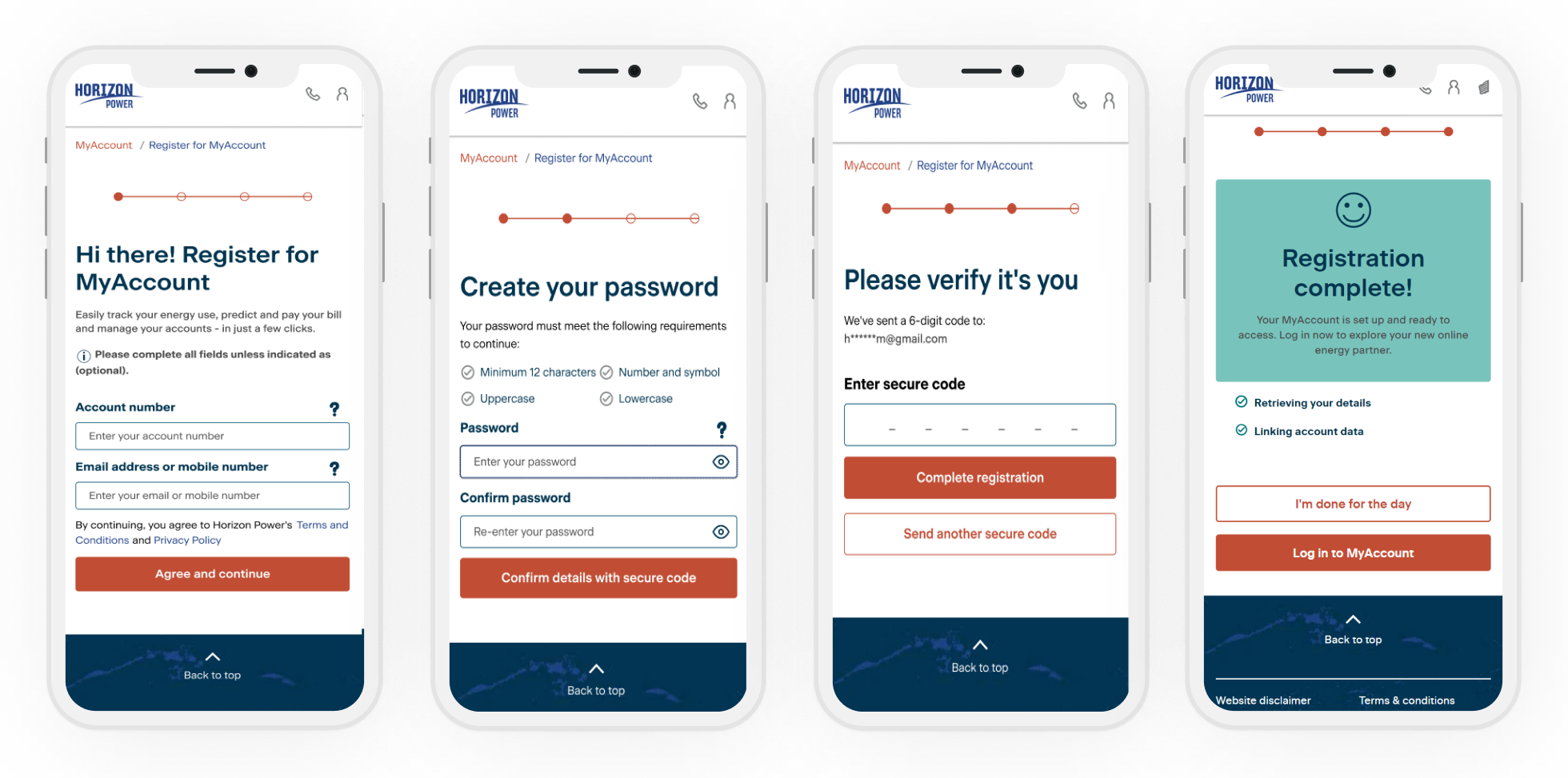
Please have your account number handy (you'll find this printed on your electricity bill in the top right-hand corner) and the email address or primary mobile number that you have linked to your account.
You can reset your password at any time by visiting login.horizonpower.com.au/reset-forgotten-password
Register for MyAccount with one of your accounts - using the 6 digit account number and the email address or mobile number that you have linked to your account.
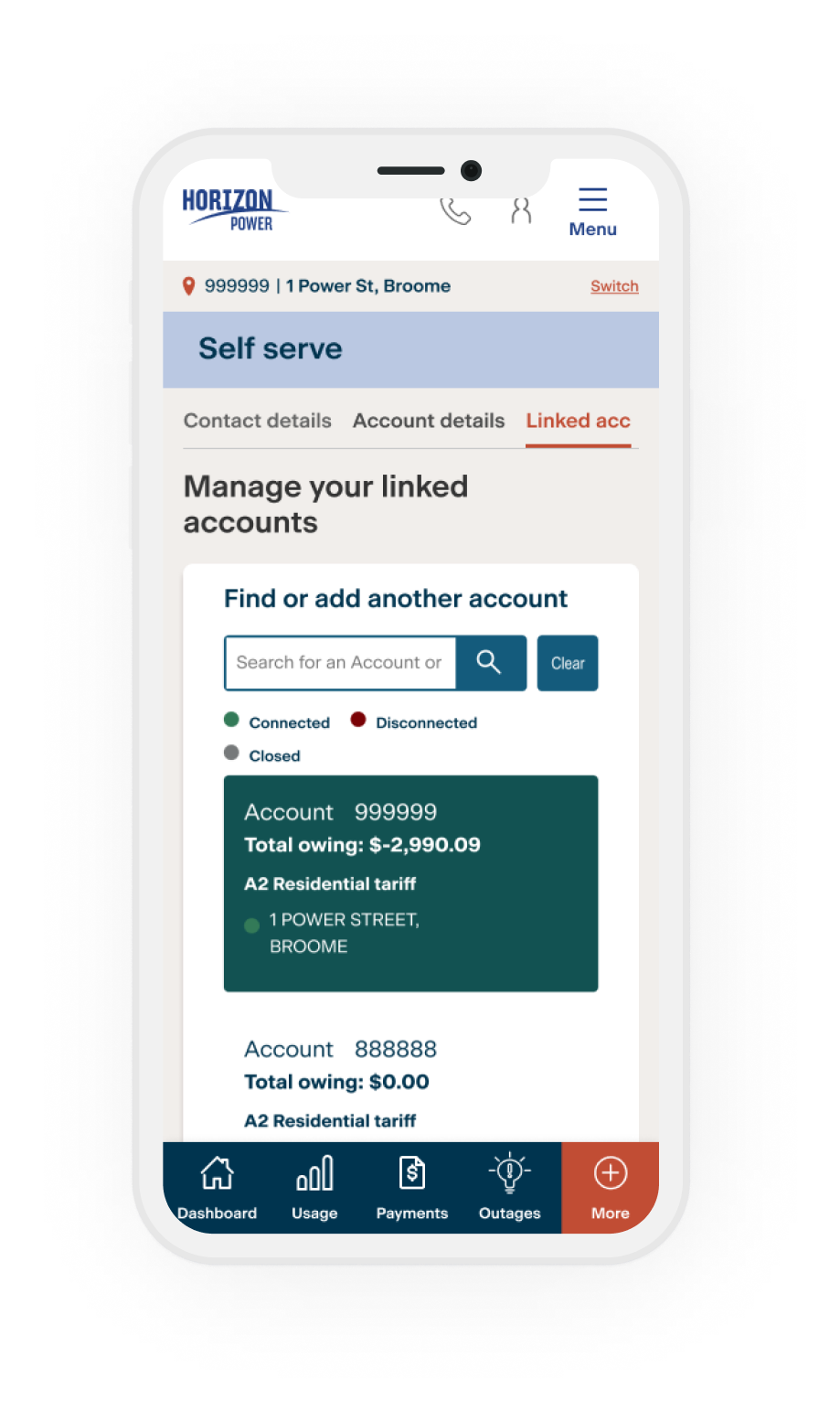
- Once you log in, you can easily add all your other accounts in the Self Service section.
- Select More from the menu
- Then select Self service link
- And then tap Link another account
You’ll need your other account numbers handy, plus the account holder's name - exactly as it appears on the bill.

Energy saving tips
Finding ways to reduce the amount of energy you use could help you to save on your bills and reduce your environmental impact - and that’s always good for business!
Horizon Power acknowledges the Traditional Custodians throughout Western Australia and their continuing connection to the land, waters and community. We pay our respects to all members of the Aboriginal communities and their cultures; and to Elders past, present and emerging.
Aboriginal and Torres Strait Islander people are advised that this website may contain images, names or voices of deceased people.